The app of the CMFI community
Growing together,every day.
Your daily report, your prayer, the hymns, the Bible and the whole community, together in a simple app that works even offline.
Free · No ads · 7 languages
The app
Everything that matters for your walk
Six simple spaces, made for your daily life with God.
Home
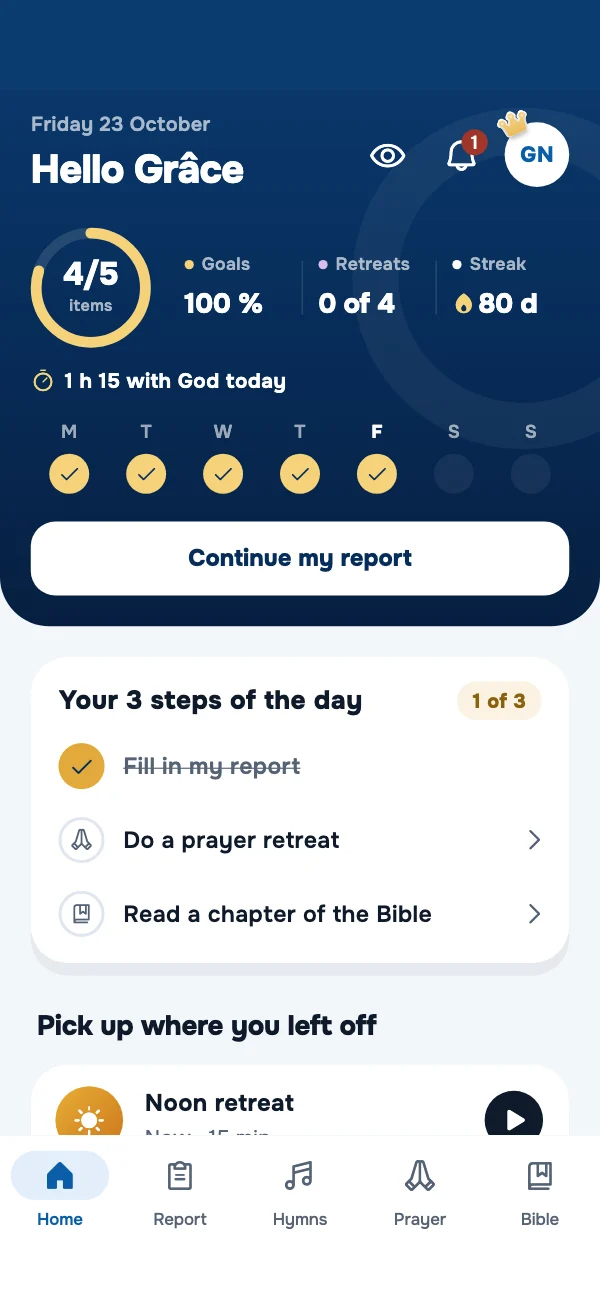
Your day at a glance
Your day, your week and your streak on a midnight-blue and gold sky: you know at once where you stand.
- Your items and today's goals
- Your week and your streak
- The retreat and the hymn to pick up again
Daily report
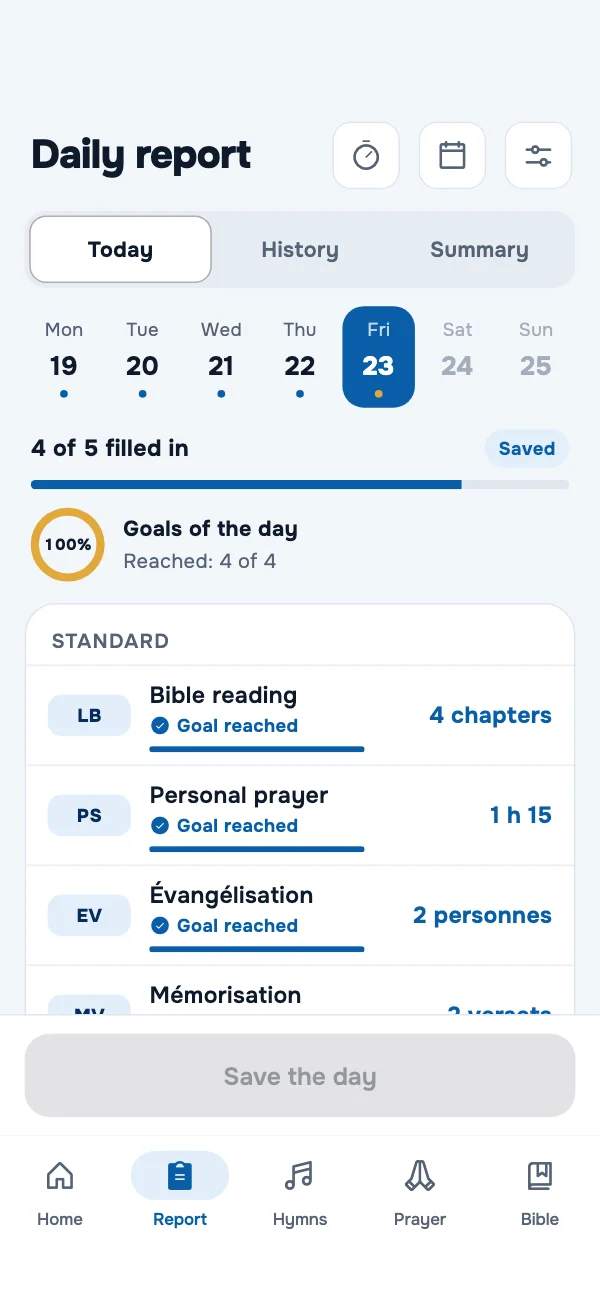
Your day in a few taps
Bible reading, prayer, evangelism… Fill in your report, even offline: it is sent by itself later.
- Your own items and goals
- Your summary and “Your week with God”
- An evening reminder, a PDF or Excel export
Prayer
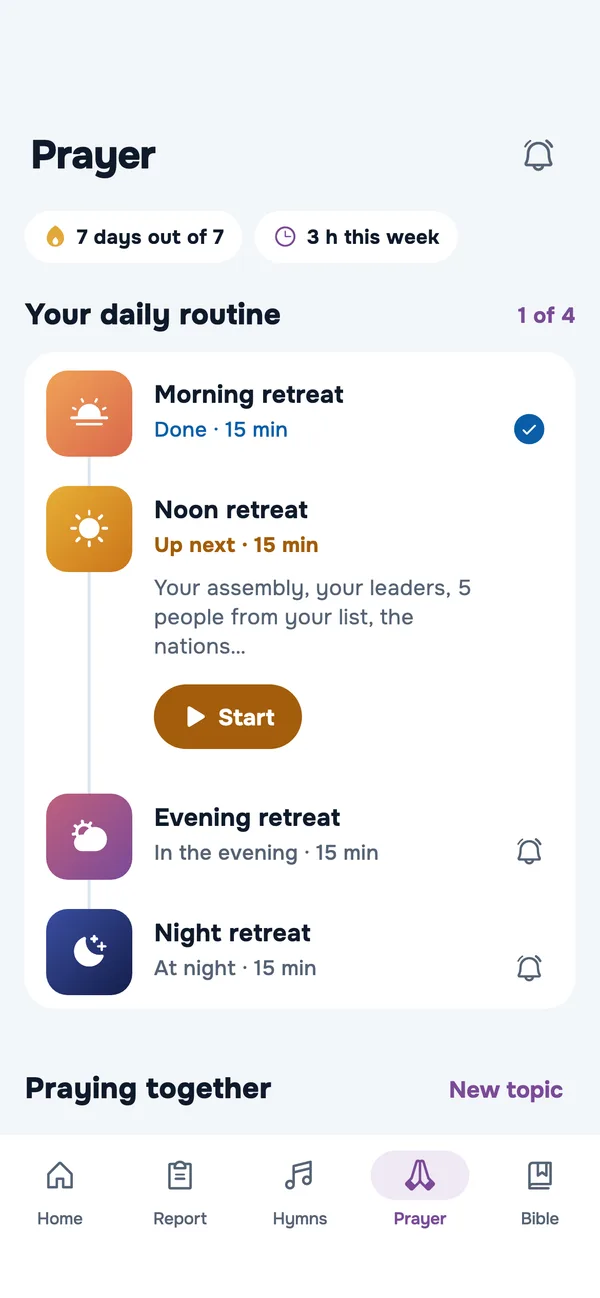
Your prayer routine
Four 15-minute retreats, in the morning, at midday, in the evening and at night, guided point by point.
- The prayer topics of the community
- Your lists of people to pray for
- Invite others to pray for the same topic
Hymns
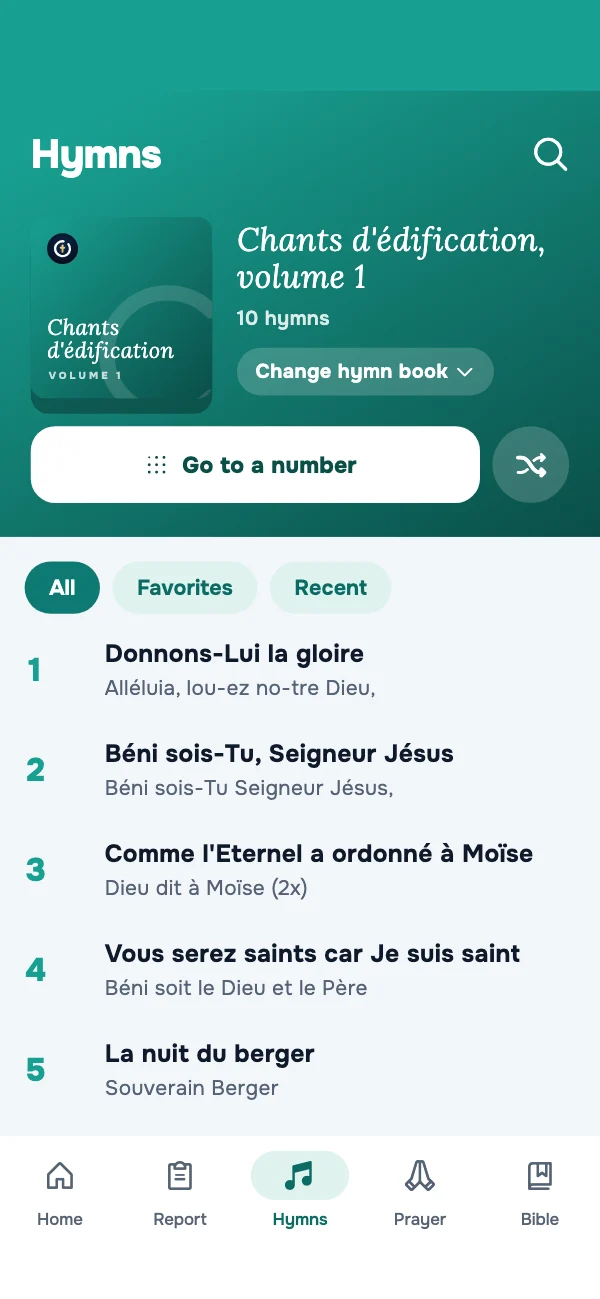
The hymn books in your pocket
The hymns of the community, always up to date and readable offline.
- Search by number, title or words
- Favorites and recently sung
- Projection mode for the service

Bible
The Bible, with its concordance
Read the Bible in your language, in several versions, and download it to read and search it offline.
- Highlight, keep and share your verses
- A concordance: every verse of a word
- “I read this chapter” counts in your report
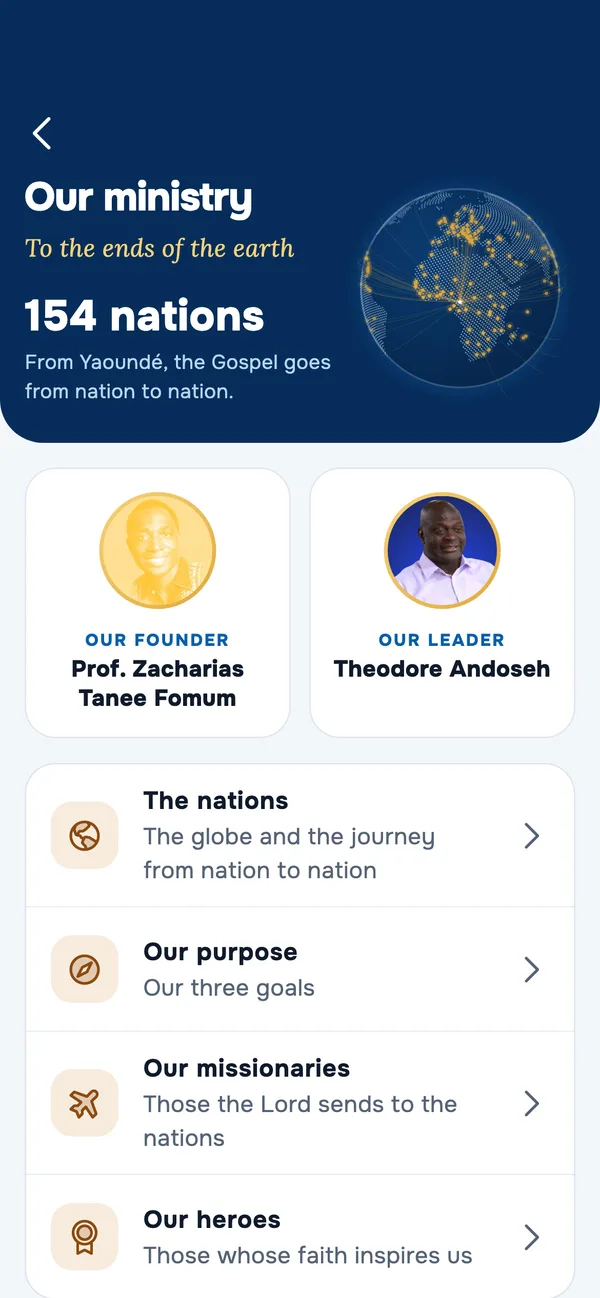
Our ministry
The community around the world
The nations where the work is present, our founder, our leader, our missionaries and our heroes, and the events to come.
- The globe of the nations, to spin
- Conferences with their programme
- The announcements of the community
7
languages
154
nations
4
15-minute retreats a day
0
ads
How it works
Ready in three minutes
- 1
Download the app
Free on the App Store and Google Play.
- 2
Create your account
With your phone number, your name, your church and your assembly.
- 3
Start your day
Fill in your report, open a hymn, register for the next conference.
Privacy
Your data stays yours
CMFI Connect is made for the community, not for advertising. We only collect what the app needs, and you can erase everything whenever you want.
- No ads, no trackers
- Your data is never sold
- Your report: you and the authorities you choose
- Delete your account at any time
Questions
Frequently asked questions
Is the app free?
Yes: the report, the hymns, prayer and events are free and without ads. An optional Premium subscription adds the home-screen widget and the year statistics, and supports the work.
Who is it for?
For all members of the CMFI churches and assemblies, in every country.
Who can see my report?
You, and the spiritual authorities you choose in the app (your disciple maker and your other authorities, once they accept): they see the items filled in, your regularity and your percentages, never your note. You can stop this sharing for each of them, on their card. Nobody else, not even the administrators. You can also prepare your report and send it to your authorities yourself.
Do I need an internet connection?
Not for the essentials: the hymns, the last events you opened and your report work offline. What you save offline is sent on its own when the connection comes back.
In which languages?
French, English, German, Spanish, Arabic, Chinese and Hindi. The app follows your phone's language, and you can change it in Settings › Language (tap your photo at the top of Home: the menu opens, with “Settings”).
How do I delete my account?
In the app: tap your photo at the top of Home to open the menu, then “Settings” › “Delete my account”. You can also request it from the “Delete my account” page of this website.

Join your community in CMFI Connect
Download the app and start your day with the whole community.
Free · No ads · 7 languages